
For solo supplementers
Keep adjuster contacts and follow-up notes close to the claim.
Spend less time digging through old emails for the contact or conversation you need.
14-day free trial · No demo required
- Contractor files
- Carrier contact
- Next follow‑up
Contacts on file, not in old threads.
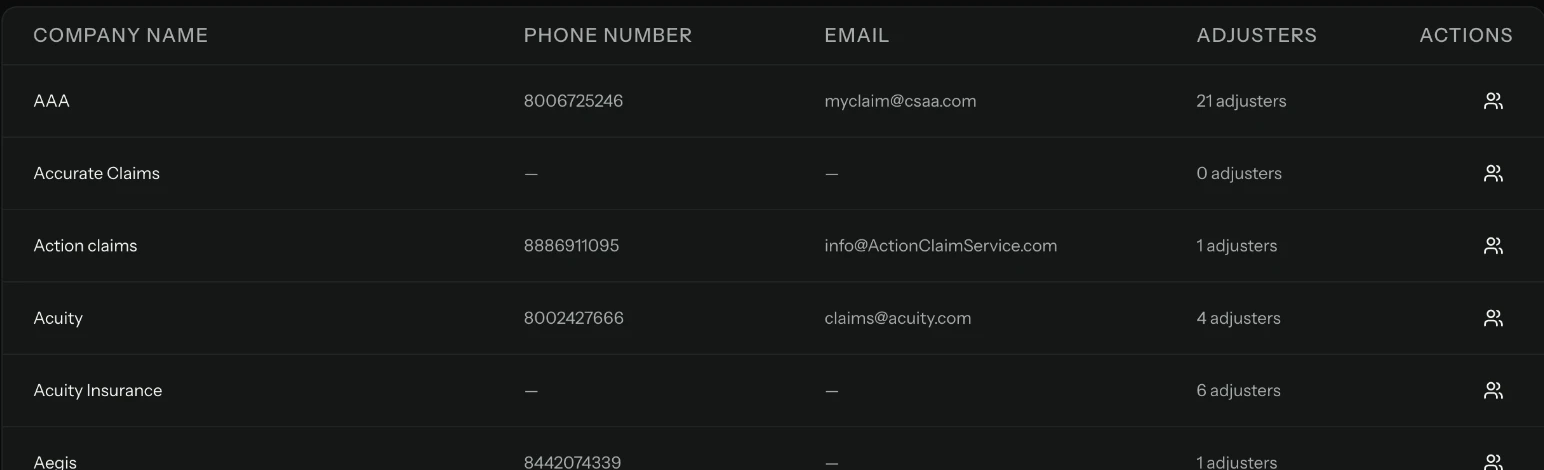
The contact you need is buried in an old thread.
Before a callback, you search your inbox for the desk adjuster’s number and what was said last time. Keep your adjuster contacts, private notes, and the last conversation with the claim instead.
Work the day’s files from the follow-up queue.
Have the adjuster’s details ready.
Keep carrier and adjuster contact details with private notes for your organization, and filter claims by desk adjuster.
Keep each contractor separate.
Keep each contractor’s claims, documents, and contact history together. Solo includes one location; Multi-location supports up to 10 separate locations.
A callback with the file’s context.
Oak Roofing · Cedar Lane supplement
Today’s next callback
Alex needs to confirm that the carrier received the supporting photos sent Monday.
Next follow-up: Today · Confirm receipt
Another contractor: Pine Restoration · Jordan is preparing an update for the Willow Street supplement.
Questions before you start
Is Solo for one person?
Yes. Solo provides one user and one location. A second person requires Teams, which supports up to five users and one location. Multi-location supports unlimited users and up to 10 locations.
Compare plansDoes this replace my estimating software?
No. Use ClaimTrax alongside your estimating software to track existing client claims, documents, carrier activity, and follow-ups.
Can I organize work for several contractors?
Keep each contractor client’s claims together with documents, contact history, and follow-ups. Review the next actions across your contractor accounts.
Do I need a demo?
No. The 14-day free trial is self-serve, with no demo needed. Start with your existing open supplements.
Organize the files you need to follow up on today.
Start your trial with three open supplements. Keep each contractor’s files separate and give every claim a clear next action.
14-day free trial · No demo required